
Customers & Vendors
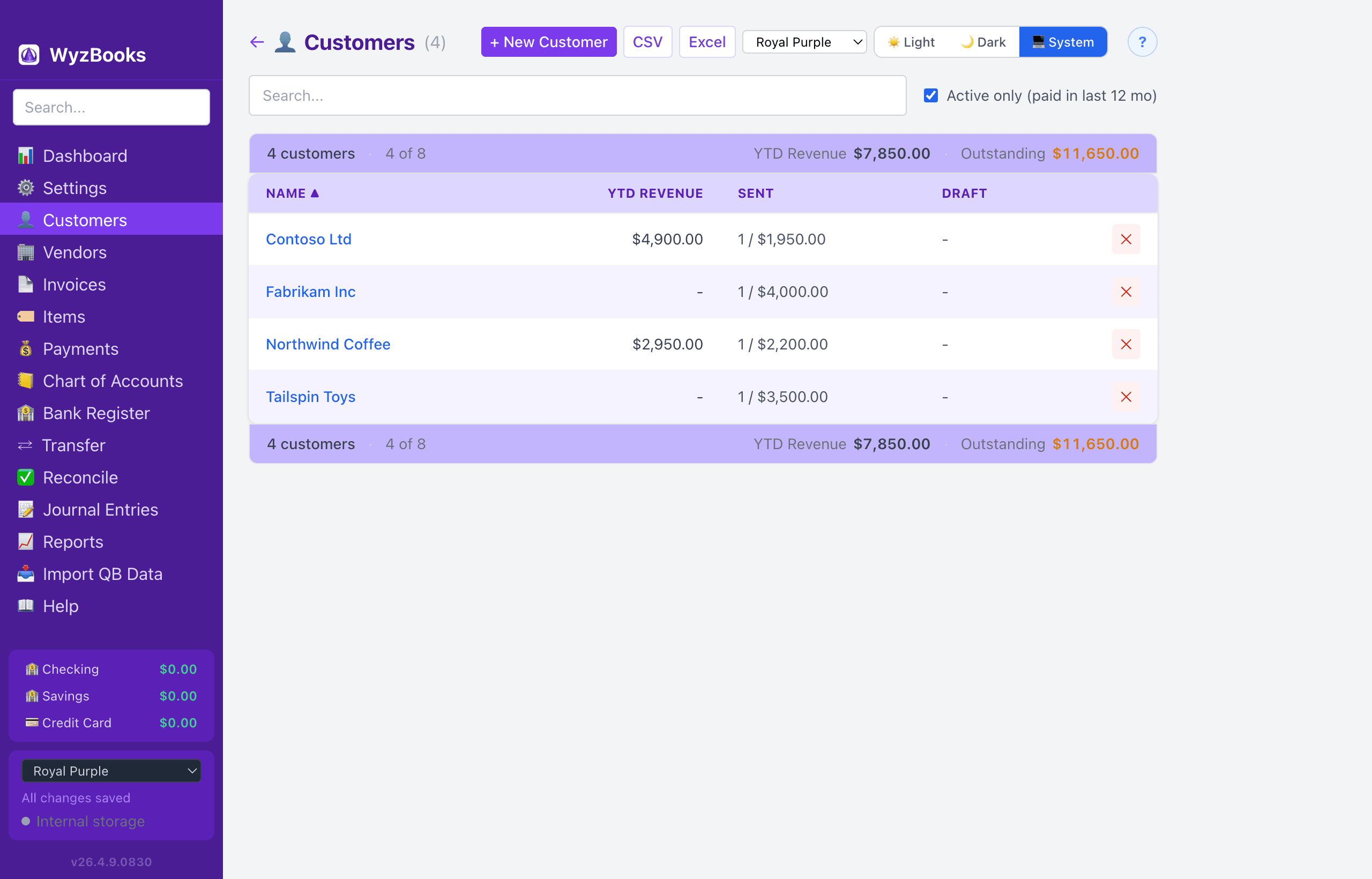
Customer List
The Customers page shows a table with columns: Name, YTD Revenue (sum of paid invoices in the current calendar year), Sent (count and outstanding amount of sent invoices), Draft (count and total of draft invoices), and a Delete button. If the contact has associated invoices or payments, a warning dialog shows the number of invoices and payments referencing the contact before confirming. Press ⌘Z immediately after a delete to undo.
- Active Only Toggle: A checkbox (on by default) filters to customers who have at least one paid invoice in the last 12 months. Uncheck it to see all customers.
- Search: Type in the search box to filter by name, company, or email.
Click any customer name to open the edit form.
Customer Form
Fields: Name, Company, Email, Phone, Address (multi-line), Notes, and Default Terms (dropdown of payment terms like Net 15, Net 30, etc.).
The default terms are auto-filled when you select this customer on a new invoice.
Vendor List
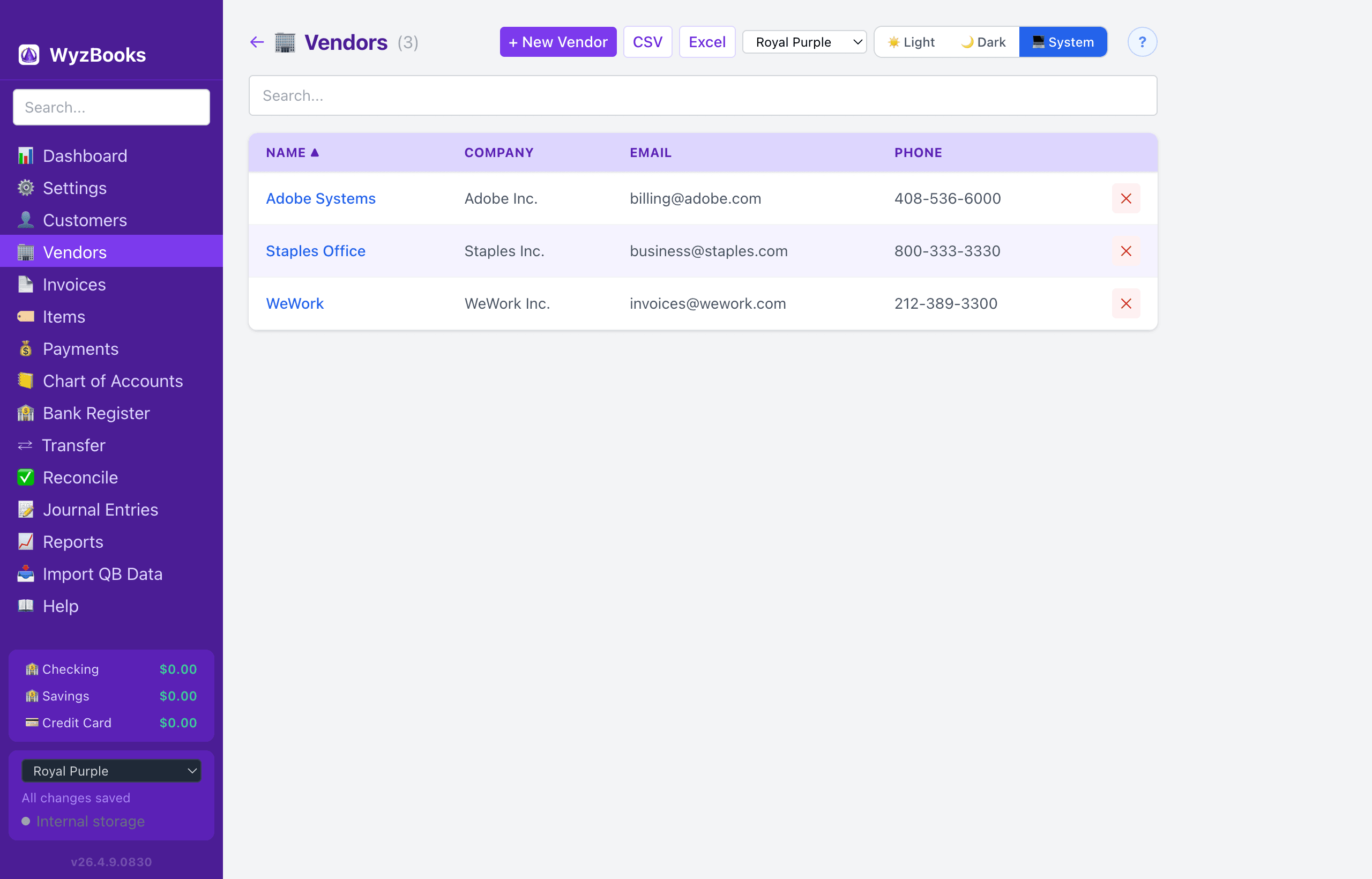
The Vendors page shows: Name, Company, Email, Phone, and Delete. Vendors can be hidden entirely from the sidebar by enabling "Hide Accounts Payable" in Settings.
Vendor form fields are the same as customers: Name, Company, Email, Phone, Address, Notes, and Default Terms.
Sortable Columns
Click any column header to sort the list. Text columns (Name) default to ascending; numeric columns (YTD Revenue, Sent, Draft amounts) default to descending. An arrow indicator shows the current sort direction.
Exporting
Both the Customer and Vendor lists can be exported to CSV or Excel (.xlsx) using the buttons in the page header.
Importing Contacts
Contacts are imported from IIF files (Customer and Vendor lists) or created automatically during CSV transaction imports when a payee name doesn't match an existing contact.
The merge option (enabled by default during import) updates existing contacts with any missing fields rather than creating duplicates.